
Check the source.
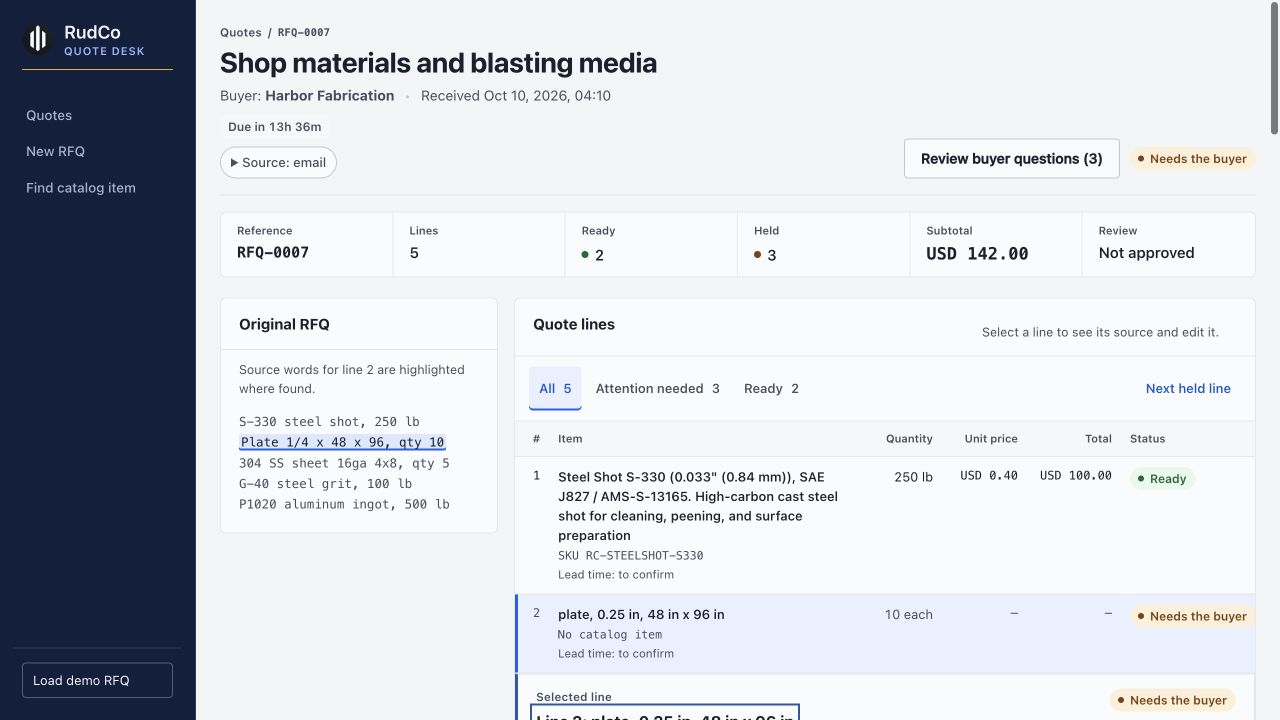
Review the original request beside the quote. Inspect the source words and rules behind the extracted specification, including material-specific gauge readings.
RudCo Quote Desk · For quoting reps
Turn a messy RFQ into a quote you can check. See the buyer's words, review the specification, and keep the final call.
Accurate. Competitive. Faster.
Keep the evidence close to the decision, from the first reading to the approved export.
Review the original request beside the quote. Inspect the source words and rules behind the extracted specification, including material-specific gauge readings.
See the recorded price source and benchmark date. Review the unit, assumptions and missing information before you approve a line.
Attention-needed lines open first. Unclear specifications become questions, and missing matches or prices stay visible for the rep to resolve.
From RFQ to review
The request, the reading and the next action stay together. You review what changed before the quote is ready to export.
Start with an RFQPaste the email or upload a PDF, CSV, or text file. Keep the original source available as you review.
Check the normalized specification, catalog match, price evidence and requested paperwork. Compliance flags describe requirements; they do not certify material.
Review drafted buyer questions and record an answer to rerun a held line. Where evidenced alternatives are available, review each option separately. Missing prices remain unpriced.
Check the final draft and approve the revision. Preview the email and download the PDF or CSV. A later edit clears approval so you can review again.
Built today
Try intake, line-by-line source review, rep edits, drafted questions, approval and exports. Explicitly taught buyer terms can carry into the buyer's next RFQ with their source recorded.
The prototype uses sourced public catalog records alongside constructed sample data. Public listings do not establish RudCo stock or acquisition costs. Unknown lead times stay “to confirm.”
Email is a local preview today. A connected mailbox, buyer-click answer flow, live inventory and ERP integration are not connected. The 24-hour clock helps the rep track the target; it does not send a quote automatically.
See the work behind the quote
Start with the request. Leave with a draft you can inspect.